Use your phone as a remote
Control the app on the TV or PC from your phone’s browser, with nothing to install.
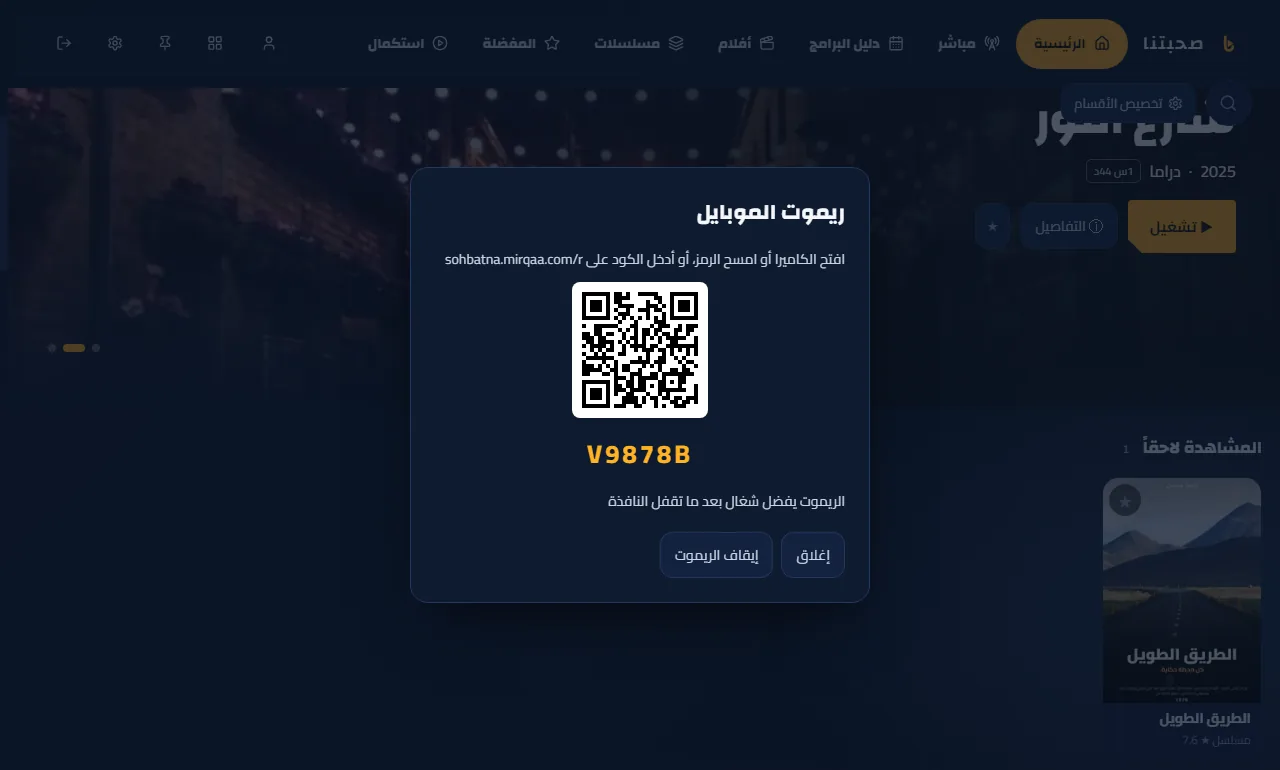
- On the TV or PC: Settings → Phone remote → “Start pairing”. A QR code and a 6-character code appear.
- Scan it with the phone camera, or open sohbatna.mirqaa.com/r and type the code.
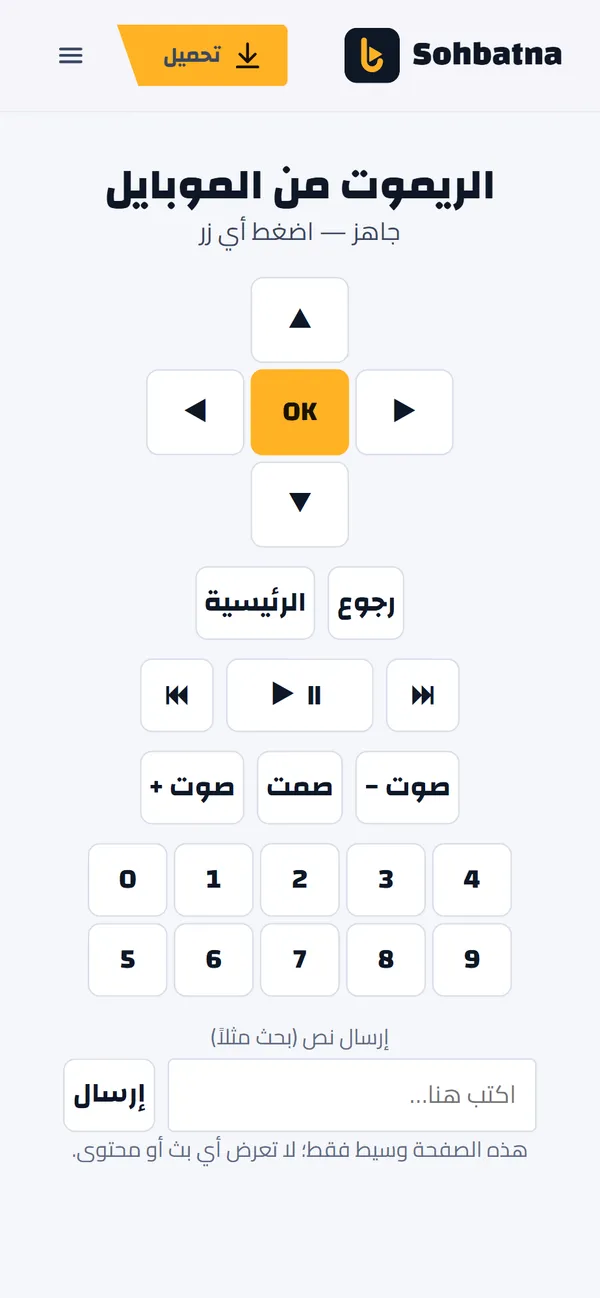
- Use the arrows, OK, Back and digits, or type text for search and send it to the screen.
- The phone does not need the same Wi-Fi, just internet on both. Pairing ends by itself after 30 minutes of no use.